Published : Friday 10 April 2026
Having used Ubuntu for some years, I decided to try CachyOS and Distrobox ...

A few years ago I blogged about switching to Linux from Windows. Ever since, I have been committed to the Linux experiment and, for the most part, it has gone well.
There have certainly been bumps along the way but nothing that forced me to go back.
The main issue I had was with the file indexing service hanging and eating memory. I never got to the bottom of it and in the end, I just disabled it. There were other snagging issues with my laptop dock too and I’d had to use a Virtual Machine with Adobe apps, but on the whole it has worked well for me.
More recently I found it had gotten a bit sluggish. I never quite worked out why, but after looking into Snap, background services, etc., it became apparent I had picked up some bloat.
On top of this Ubuntu has taken some rather crazy turns with privacy, advertising, replacing battles tested modules with Rust rewrites, and seemimlgy onboard with the move towards mandatory ID.
Distrobox and Podman
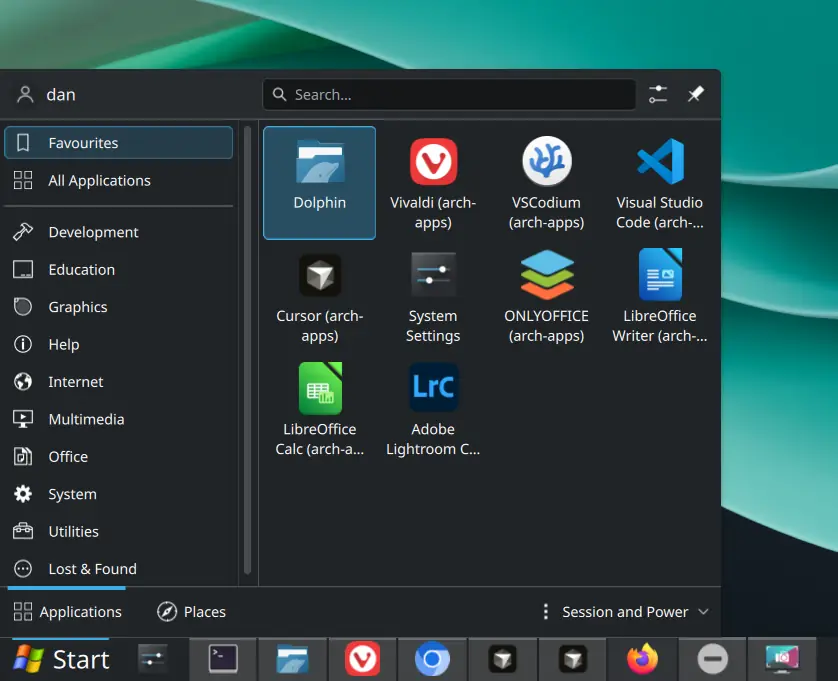
I discovered Podman some time ago but thought nothing of it and carried on with Docker. When I started looking more seriously at backup and recovery though, I came across Distrobox, which uses Podman under the hood. The basic idea is that I can keep my main operating system fairly clean while running my apps in their own contained environment.
If you are not familiar with containers, think of them as a way of packaging apps so they live in their own little world with the bits they need, rather than cluttering up the main system. This is very common on servers, where you want apps to be easier to move, back up, rebuild, or replace without upsetting the base system they run on.
That same idea turns out to be useful on the desktop too. It means I can keep the host OS clean and simple, experiment a bit more safely, and make backup and recovery of my apps and setup much easier.
I made a start experimenting with this on Ubuntu and, once I was confident with it, I was able to sync my entire user space and documents to my server, reformat my drive, swap my distro, and reinstate my user space and apps. Nice!
(Click for full resolution)
CachyOS as a new host
If you are not deep into Linux stuff, a distro is basically just a particular flavour of Linux with its own defaults, tools, desktop options, and package ecosystem. Normally, changing distro can be a bit of a faff because so much of your setup lives directly on the host system. One of the nice things about using Distrobox is that it makes the choice of host OS less painful and more flexible.
Having moved on from Windows to Ubuntu previously, this time I chose CachyOS as my base operating system. I had looked at atomic desktops such as Fedora, but I wanted something that was not too tied to mega corporations or woke drama nonsense. I looked at OpenMandriva for that reason, but Cachy edged it out for me because of the choice of desktops, performance claims, rollback features, Btrfs, and the underlying Arch repositories.
I used Arch, by the way, for my Distrobox pods (containers), which seems to give a pretty clean, smooth experience.
Drives and folders
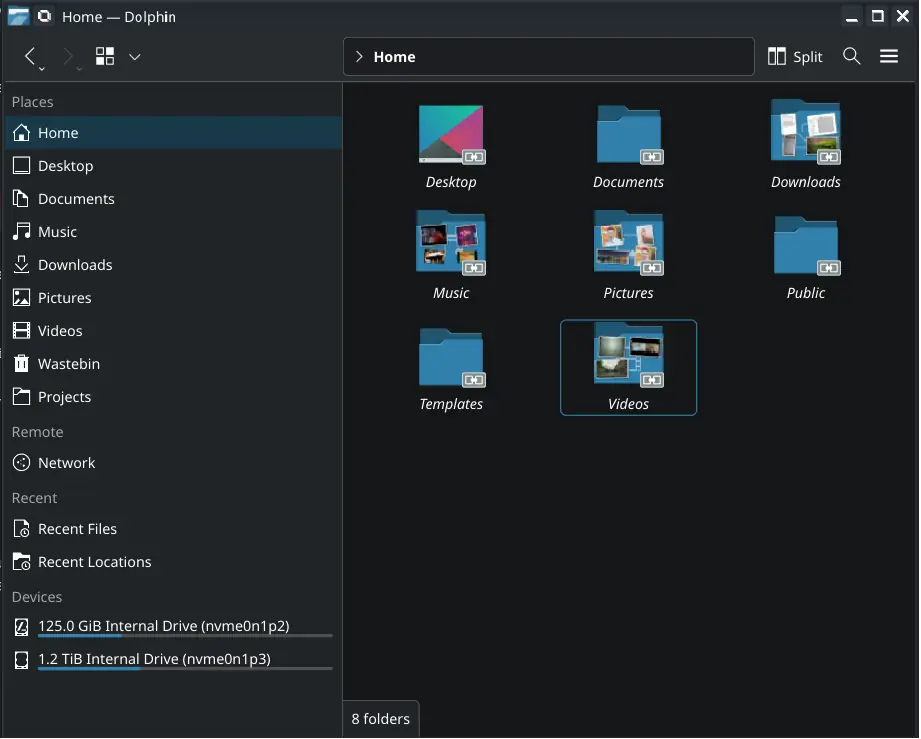
I split my drive into two partitions: one for the host OS and the other for all my files, etc., mounted as /data. The OS keeps a clean home folder, and I have separate home folders for each of my user spaces and my documents (Pictures, Videos, Downloads, etc.). All my day-to-day apps live in my Arch container.
CachyOS partition
├─ /
└─ /home
   └─ dan              -> my host home

Data partition
└─ /data
   ├─ dan-apps-arch    -> my main apps home
   ├─ dan-apps-adobe   -> my Adobe apps home
   └─ dan-resilio      -> my documents
This meant that my host OS had its own mostly isolated home, as did my apps in the Distrobox, while my day-to-day documents stayed separate.
I now have clean targets for backup and sync operations and can easily pass/link my documents to the host and my containers.
(Click for full resolution)
File sync and backup
It’s pretty easy to rebuild my containers from scripts, but taking snapshots of them, their respective home locations, and my shared documents gives me easy backup and recovery, while CachyOS stays clean and simple.
For document syncing I had previously used Syncthing, but decided to look at Resilio Sync again as it is friendlier and, to my pleasant surprise, it had opened up more of its features to the community edition.
In my dan-resilio folder I also have a /Backup folder where I drop copies of my apps-arch user space using Pika Backup or similar, and this then gets synced to my server along with my day-to-day files. I can also take a snapshot of my apps container and ship this in the same manner.
This gives me a quick and easy means to recover my entire apps setup, user space, and files to any distro.
Adobe Lightroom Distrobox pod
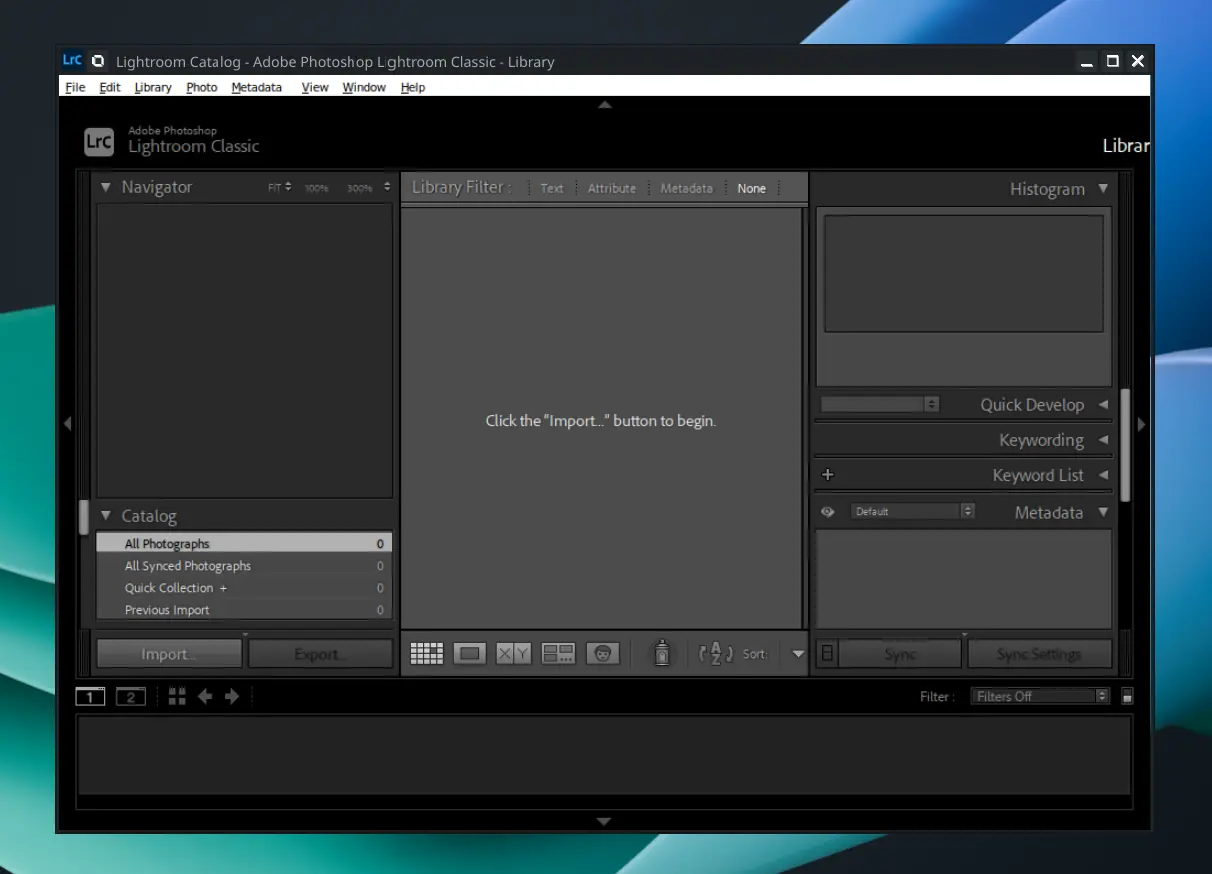
I’ve also now added a pod for Adobe apps with their own user space stored in dan-adobe-apps, so I can tweak Wine setups for the likes of Adobe and keep a stable environment outside of my host and other apps. This took some fiddling and is something I’ll post a separate blog about, but the key point is I now have a stable isolated container running Adobe Lightroom.
(Click for full resolution)
There are still sometimes glitches and hitches, but this might be more of a Wayland issue than Wine or Adobe specifically. Indeed, I have had some issues with other apps in terms of layout, scaling, etc., and it seems Wayland isn’t quite as smooth as X11 when it comes to display managers, so I may look to try X11 to see if this resolves the residual issues.
Distro hopping
As I have a 2TB drive and partitioned 128GB for the host OS and 1.2TB for my /data folder, this leaves enough space for a few more partitions. My thinking is that if I wanted to distro hop, or recover quickly, I could have two or three boot options and import the same user space, including preconfigured apps and my files, more or less instantly across multiple boot options while allowing each OS to keep its original home folder so there is no conflicting files between them.
Since switching to CachyOS, the digital ID and privacy debate has heated up, and some Linux distributions seem to be selling out their communities to government mandates. That makes the timing of this new setup feel rather apt, especially as even CachyOS seems to be signalling in more dubious directions. Meanwhile, OpenMandriva seems to be sticking closer to what I would consider an independent, privacy-centric Linux philosophy.
Another hop, or parallel setup is on the horizon already … If not OpenMandriva, perhaps Arch, runit and xlibre with an X11 compatible desktop environment. Cinnamon seem a bit more cautious about jumping head first in to Wayland.
Conclusion
I’ve been up and running about a month now and things are running nicely. I still have some minor glitches mainly around paths and settings between the host and the containers. For example, some apps don’t cope too well with the mapped paths and sometimes host settings such as dark mode don’t always seem to carry through to some apps.
All that said, this feels like a cleaner, safer environment and, if I wanted or needed to recover quickly, even to a new distro altogether, I could be up and running in a matter of an hour or two, if not less.
References
Dan's Blog
Information Technology, programming, health, fitness and photography enthusiast.
- Not a writer.
- All views are my own.
- Offence is optional.
- Do your own research.